Guess the song
Pick a melody and title the video "Every bounce plays a note. Guess the song". The tune gets clearer as the bounces speed up.
HypnoSim / Growing Ball
One small ball bounces inside a glowing circle. Every time it hits the wall it gets a little bigger and plays the next note of a melody. The bigger it gets, the less room it has, so the bounces come faster and the song speeds up on its own.
Create this video free →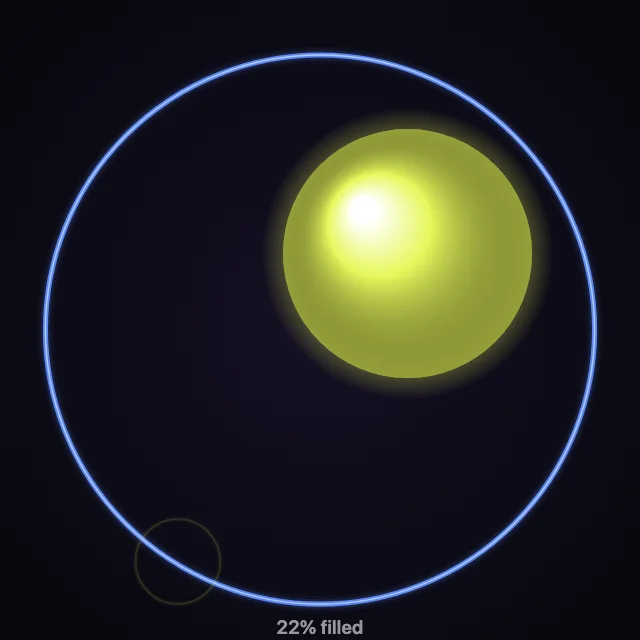
A 15-second run with a random seed, simulated in your browser.
The video runs until the ball fills the circle, then ends on a flash and a big "FILLED!" with the exact time and bounce count. There is no fixed length to guess around: the ending is the result, so viewers watch to the last second.
Pick a melody and title the video "Every bounce plays a note. Guess the song". The tune gets clearer as the bounces speed up.
Lower the growth for a slower, tenser build, or raise it for a quick 15 second short. The final screen shows the exact fill time.
Ask viewers to comment the second they think it fills. The final screen shows the exact time, so everyone can check their guess.
Open the Growing Ball template, pick a melody, roll a seed and export the MP4. The ball grows on every bounce and the video ends by itself on the FILLED screen once the circle is full.
Yes. Raise "Growth per bounce" to fill sooner (a shorter video), lower it to fill later (a longer one). A bigger start size also makes it fill sooner.
Yes. Import a MIDI file and each bounce plays its next note instead of the built-in melody. The notes are rendered into the MP4 in sync with the bounces.
As the ball grows, the space between it and the wall shrinks, so it reaches the wall more often. More bounces per second means more notes per second.